A Young Storyteller
Loves characters, comics, or make-believe and wants them to move and talk on screen.
The friendliest first coding course — games, stories, and animation with live mentors
The first paid 60-minute live demo is $2.08, adjusted on enrolment, and you get a written learning plan afterwards.
 6 Game Projects
Loves characters, comics, or make-believe and wants them to move and talk on screen.
New to programming and needs colourful blocks instead of typing syntax.
Wants to build chase games, mazes, and shooters instead of only playing them.
Ready to master sequences, conditions, and loops visually before moving to typed code.
Tap each module to explore topics, practice activities, and the game your child will build — from a first talking sprite to a multi-level adventure capstone across 30 live sessions.
Goal: Get comfortable with the Scratch interface and make a character that moves, talks, and changes scenes.
My First Interactive Story — a character that moves around a scene, talks, changes costumes, and interacts with the user
Modules, topics, projects, and typical live-class time — so parents know exactly what their child will learn. Typical full-course pace: 2 sessions per week · about 4 months (30 live sessions).
| Module | Focus | Duration | Topics covered | Projects / activities |
|---|---|---|---|---|
| 1 | Scratch Studio | 5 sessions | Scratch interface, Stage, sprites, and backdrops; Basic blocks: Motion, Looks, and Events; Move a sprite, change backdrop, and make a sprite speak; Simple costume swaps and beginner animation | My First Interactive Story — a character that moves around a scene, talks, changes costumes, and interacts with the user |
| 2 | Catch the Cat | 5 sessions | Sequences, Events, Motion, and Looks; Keyboard controls and sprite movement; Costume changes and walk-cycle animations; Basic player–sprite interaction | Catch the Cat — player controls a character and tries to catch a moving cat |
| 3 | Maze Escape | 5 sessions | Conditions and decision-making; if and if-else blocks; Sensing: touching sprite, touching colour, keyboard; Operators for comparisons and simple logic | Maze Escape Game — navigate a character through a maze while avoiding walls and reaching the destination |
| 4 | Fruit Catcher | 5 sessions | repeat and forever loops; Variables for score, lives, and timers; Falling objects and catch / miss game logic; Increasing difficulty as the score grows | Fruit Catcher — catch falling fruits, increase score for correct catches, and lose points or lives when objects are missed |
| 5 | Space Shooter | 5 sessions | Broadcasts and communication between sprites; Multiple sprites working as a team; Start / restart screens and level changes; Score, lives, and advanced game-state interactions | Space Shooter — control a spaceship, shoot enemies, maintain score and lives, and move between game states |
| 6 | Adventure Game | 5 sessions | Project integration: movement, conditions, loops, variables, scoring, lives, broadcasts, and animations; Game design: levels, win/lose states, and player experience; Build → test → debug → improve → present; Advanced Scratch habits: naming sprites, comments, and tidy scripts | Final Capstone: Adventure Game — a multi-level game combining movement, conditions, loops, variables, scoring, lives, broadcasts, and animations |
Screenshots and walkthroughs from mentor-guided Scratch builds — so parents can see the kind of work kids ship.
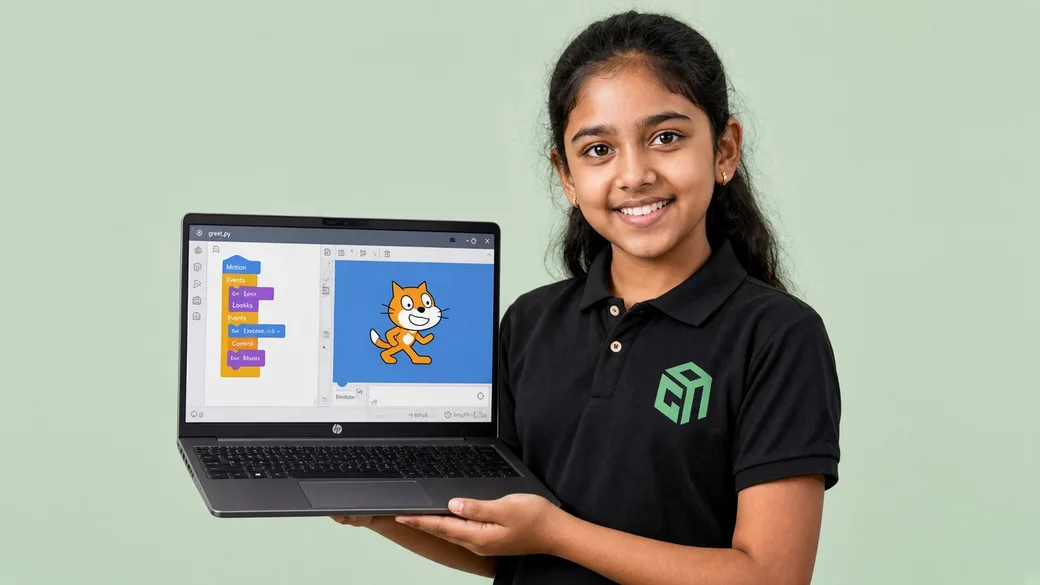
A character moves around a scene, talks with say/think bubbles, switches costumes, and reacts when the player clicks or presses a key — first Motion, Looks, and Events.
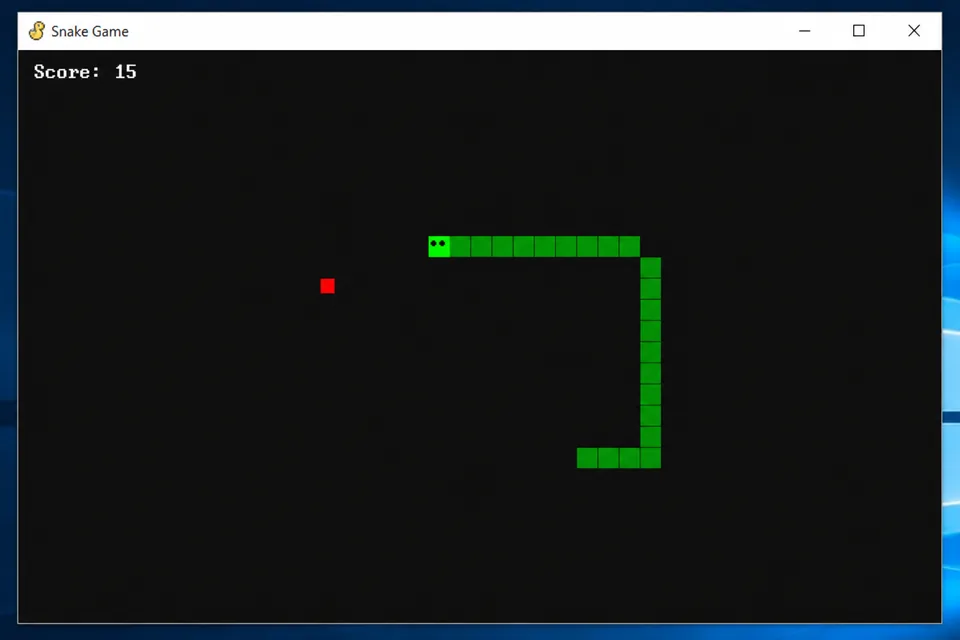
A chase game with keyboard controls and costume animation, then a maze where touching walls or colours triggers if/if-else decisions — sensing and operators in action.
Falling-fruit scoring with timers and lives, a spaceship shooter with broadcasts and level changes, then a multi-level adventure game students test, debug, and present.
No prior coding experience needed. Designed for Grade 3–8 beginners. A laptop or desktop with a modern browser (Scratch runs in Chrome/Edge/Safari), webcam, and stable internet is enough to start.
Course prices are for live 1:1 Super Mentors sessions with hands-on projects and parent updates. Prices shown in USD $ for United States families (approximate local estimates). Try a session before enrolling.
Pay $110$140 after each 10 sessions
$330$420 for 30 classes
2 sessions per week · about 4 months
Personal attention & fastest progress
View plan details →Parent guides and STEM articles that pair well with Scratch.
Scratch first for Grade 3–5. Python with AI when they can type. Web if they want something they can share in a browser. Use this decision tree, then read our Scratch vs Python guide.
Grade 3–5 start with Scratch. Grades 5–8 add Python with AI and web. Grades 8–12 go deeper on AI/LLMs and robotics. Here is the GeekashramJr map with syllabus links.
US live coding for kids often runs $20–$50+ per tutor hour. GeekashramJr live online coding and AI classes are about $11 per session, with a $2.08 trial — here’s what that buys.
Scratch vs Python for kids: Scratch first for Class 3–5; Python when they can type. Compare age fit, projects, and the next live course.
Most kids can start coding around ages 7–8 with visual tools; typed languages like Python usually fit better from Class 5–6. Here is a clear age-by-age parent guide for when to start coding in 2026.
Not sure when your child should start coding, or whether to pick Scratch, Python, or something else? This friendly parent's guide covers ages 6–18, courses, screen time, and simple next steps—without the jargon.
Straight answers for parents comparing live Scratch classes, syllabus depth, projects, and pricing.
GeekashramJr's Scratch course teaches Grade 3–8 students block-based coding through six live modules: Scratch studio basics, keyboard-controlled games, conditions and sensing, loops with scores and timers, broadcasts and game states, and a multi-level adventure capstone. Across 30 live sessions, children build an interactive story, Catch the Cat, Maze Escape, Fruit Catcher, Space Shooter, and a final adventure game — learning sequences, events, Motion, Looks, if/if-else, loops, variables, and sprite communication with live mentor support.
Scratch is taught live module by module (30 live sessions). Parents can review the full syllabus table on this page — topics, projects, and typical session time per module — plus download the curriculum brochure.
Students complete mentor-guided projects throughout the course. By the end they typically have: Created an interactive story where a character moves, talks, changes costumes, and responds to the player; Coded playable games — Catch the Cat, Maze Escape, Fruit Catcher, and Space Shooter — with scores, lives, and keyboard controls; Designed, debugged, and presented a multi-level adventure capstone using broadcasts, variables, and game states. Sample project screenshots and walkthroughs are shown above.
Scratch is for students in Grade 3–8. No prior coding experience needed. Designed for Grade 3–8 beginners. A laptop or desktop with a modern browser (Scratch runs in Chrome/Edge/Safari), webcam, and stable internet is enough to start.
GeekashramJr Super Mentors 1:1 is $11 per session with personal attention. Prices are shown in USD, matching /pricing/usa. Try a session for current offers.
Classes are live online with GeekashramJr mentors — not passive video courses. Students get real-time feedback, debugging help, and project reviews in every session.
Yes. Scratch uses colourful drag-and-drop blocks so Grade 3–8 beginners learn sequences, loops, conditions, and events without typing errors. Students build games and stories they can play immediately, which is why we recommend Scratch before Python for younger learners.
Students build six projects: an interactive story, Catch the Cat, Maze Escape, Fruit Catcher, Space Shooter, and a multi-level Adventure Game capstone — covering movement, sensing, scores, lives, broadcasts, and game states.
No. Scratch is block-based. Mentors teach Motion, Looks, Events, Control, Sensing, and Variables by snapping blocks together in the official Scratch editor in the browser — no prior typing or English spelling pressure.
When your child can finish Scratch games confidently — usually Grade 5–7 — they can move to Python with AI or Web Development. Mentors use the $2.08 paid 60-minute demo (adjusted on enrolment) to recommend the next track based on typing comfort and interest.
Try a Scratch session for students Grade 3–8. Meet a mentor, see the teaching style, and get a personalized plan for your child.
Try a session